
Riot Vanguard is Riot Games’ custom game security software, designed to uphold the highest levels of competitive integrity for our offerings. It consists of a client that runs while our games are active along with a kernel mode driver.
In order to make sure Vanguard meets our high standards of game safety and personal computer security, we developed this feature in-house through extensive testing. We also review the tool both internally and with the help of external security audits by industry experts.
Our commitment to safety includes protecting your privacy, which is why Riot Vanguard was made with Riot Games' dedication to data privacy specifically in mind. We worked with our legal and compliance teams to ensure it adheres to regional data privacy laws, so you can be confident Vanguard respects your local policies. You can learn more about the specifics in our Privacy Notice.
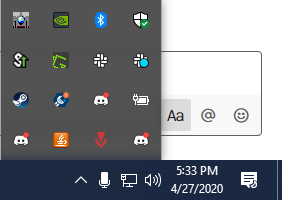
Riot Vanguard includes a System Tray icon that provides visibility into Vanguard's status and security features. You can also use the Vanguard system tray icon (VGTray) to see if your computer meets the requirements to run Vanguard or Pre-Check, which enables you to start and stop Vanguard on-demand without a full restart.
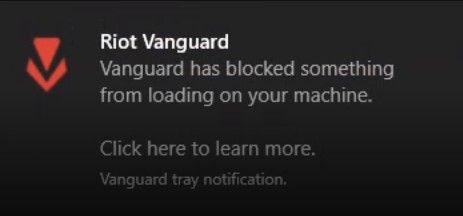
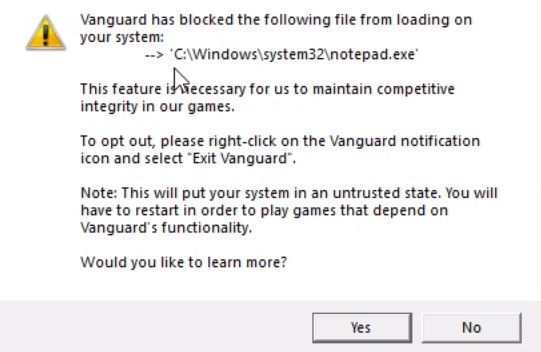
We've also addressed some of the compatibility issues players may have had with Vanguard initially by automatically enabling similar security standards to Windows Secure Boot while Vanguard is on. These standards were previously addressed through not being able to connect to Vanguard. Vanguard also informs you what vulnerable vectors are being affected through a Windows notification.
We require Vanguard to remain active while you play most of our games to ensure your safety and competitive integrity. However, unexpected interactions with either the Vanguard client or the Vanguard driver on your device may impact your ability to play.
You can remove Riot Vanguard using the steps outlined in our Uninstalling or Disabling Riot Vanguard guide. If you want to reinstall it, just boot up one of the games that requires it (like League of Legends or VALORANT) and it'll automatically install.
Riot Vanguard is usually an on-boot application, which means that if you disable it and later decide you’d like to play VALORANT, you'll have to restart your computer. However, using Vanguard Pre-Check will allow you to run Vanguard on-demand if your system meets the outlined security requirements.
